
Virtual cards
PayVessel issues virtual Mastercard and Visa cards in USD that work on all platforms.Where can cards be used?
PayVessel virtual USD cards are accepted at merchant sites that accept USD cards: commonly US merchants such as Meta (Facebook), PayPal, Google, Snap Inc., Canva, and many more. Some merchants may decline the card. Restrictions are identified by MCC (Merchant Category Code). The following MCCs are not supported:Restricted countries
Cards cannot be used in countries subject to geographic sanctions, including: Algeria, Afghanistan, Belarus, Burundi, Central African Republic, Comoros, Congo (Democratic Republic of the), Congo (Republic of the), Cuba, Gambia, Iran, Iraq, Korea (North), Kyrgyzstan, Lebanon, Liberia, Libya, Maldives, Myanmar, Nicaragua, Palestine, Russian Federation, Serbia, Somalia, South Sudan, Sudan, Suriname, Svalbard and Jan Mayen, Syrian Arab Republic, Tajikistan, Togo, Tokelau, Turkmenistan, Ukraine, Uzbekistan, Venezuela, Wallis and Futuna, Yemen, and Zimbabwe. If you encounter acceptance issues, contact support@payvessel.com.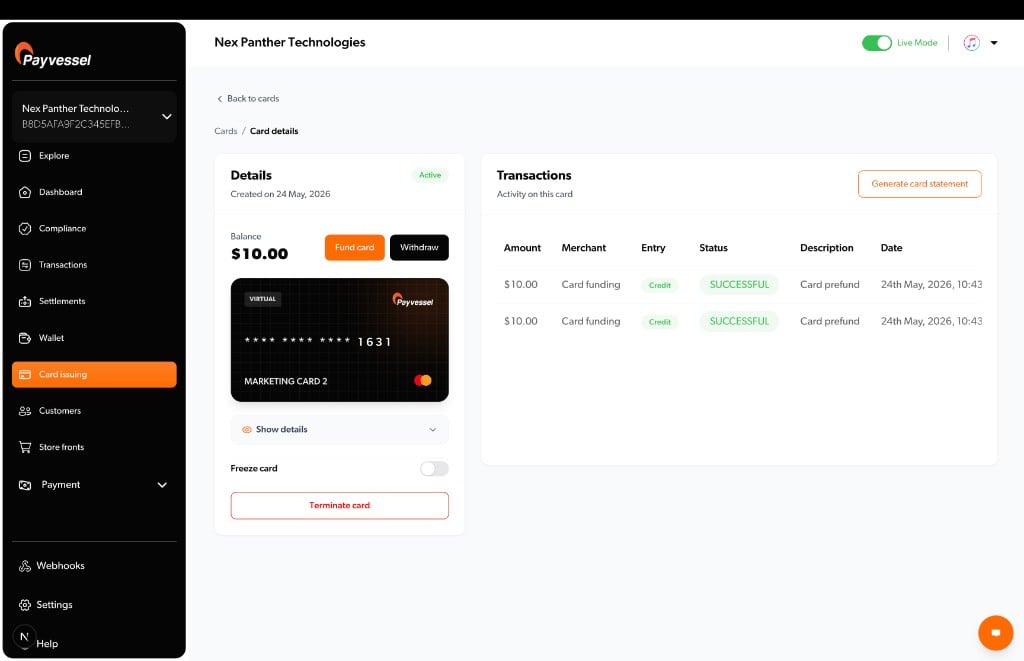
Create a Card
Issue with KYC and prefund
Get all Cards
List cards and status
Fund a Card
Load USD from business wallet
What you can do
Customer KYC
The PayVessel API requires full Nigerian KYC on every create request.Money movement
Business USD wallet ↔ card
Business USD wallet ↔ card
Fund and create-time prefund debit your PayVessel business USD wallet (managed wallet). Withdraw and terminate credit it back (withdrawal fee may apply).
Card balance
Card balance
PayVessel holds and syncs the spendable
balance on the card object after fund, withdraw, and card activity. Do not assume your local ledger matches the API balance without calling Get card.Card spend
Card spend
Merchant charges (AUTHORIZATION, SETTLEMENT, etc.) reduce card balance. PayVessel will charge applicable fees to your business USD wallet.
Card statuses
Fees
Funding fee tiers:- Below tier threshold: flat fee in USD
- At or above tier: percentage of fund amount
Error handling
Responses use
{ "status": true|false, "message": "...", "data": ... }. Validation errors may include a errors object.
Security best practices
Do not store card credentials
Never persist
card_number, cvv, or expiry in your database, cache, session storage, or mobile secure storage. Store only the PayVessel card_id and non-sensitive metadata (status, masked_pan from list).Fetch when needed
When your customer must view or use the card, call Get a Card from your backend at that moment. Return credentials to your client over HTTPS only for the active session: do not keep them after the user leaves the screen.
Server-side only
Never call the PayVessel API from a mobile app or browser with
api-key / api-secret. All create, fund, and credential retrieval flows must run on your server.Never log sensitive data
Do not write PAN, CVV, or expiry to application logs, crash reports, analytics, webhooks you forward, or support tickets. Redact these fields in any debug output.
Guides and API reference
Conceptual guides (how it works, use cases) live under Guides → Issuing. Technical schemas, Try it, and cURL samples live under API reference → Issuing.Webhooks
Events and transaction types
Create a Card
Guide
Create a Card
API reference
Get a Card
API reference